Showing posts with label bro. Show all posts

Thursday, July 17, 2008

New Bro Blog from OSU

Seth Hall of The Ohio State University started A Bro Blog to share his experiences as well as some of his Bro scripts. I'm sure there will be plenty of cool stuff to be found there.

Update: I learned it's The Ohio State University. :-)

Monday, June 30, 2008

The Emerging-Bro Project

Matt Jonkman of Emerging Threats just announced an exciting new project, nicknamed Emerging-Bro. Led by CS Lee, the goal is to provide their most important, high-threat signatures in Bro's syntax on a regular basis. They also plan to provide their IP blacklists directly for Bro. That's all pretty cool, thanks for your effort guys!

Thursday, June 19, 2008

Bro's Signature Engine

Bro relies primarily on its extensive scripting language for the definition of detection policies. In addition, however, Bro also provides an independent signature language for doing low-level, Snort-style pattern matching. While signatures are not Bro's preferred detection tool, they sometimes come in handy and are closer to what many people are familiar with from using other NIDS. This posting gives a brief overview on Bro's signatures and covers some of their technical subtleties.

Basics

The syntax of signatures is documented in Bro's reference manual; I won't duplicate that information here. Let's rather look at an example:

signature my-first-sig {
    ip-proto == tcp
    dst-port == 80
    payload /.*root/
    event "Found root!"
}

This signature asks Bro to match the regular expression .*root on all TCP connections going to port 80.

When the signature triggers, Bro will raise an event signature_match of the form:

event signature_match(state: signature_state, 
   msg: string, data: string)

Here, state contains more information on the connection that triggered the match (see policy/bro.init for the definition of signature_state); msg is the string specified by the signature's event statement (Found root!), and data is the last piece of payload which triggered the pattern match.

To turn such signature_match events into actual alarms, you need to load signature.bro. This script contains a default event handler which raises SensitiveSignature notices (as well as others; see the beginning of the script).

Things to keep in mind when writing signatures

  • Each signature is reported at most once for every connection, further matches of the same signature are ignored.

  • Header conditions are only evaluated for the first packet from each endpoint. If a header condition does not match the initial packets, the signature will not trigger. Bro optimizes for the most common application here, which is header conditions picking the connection to be examined closer with payload statements.

  • A number of analyzer-specific content conditions perform pattern matching on elements extracted from an application protocol dialogue. For example, http /.*passwd/ scans URLs requested within HTTP sessions. The thing to keep in mind here is that these conditions only perform any matching when the corresponding application analyzer is actually active for a connection. Note that by default, analyzers are not enabled if the corresponding Bro script has not been loaded.

    A good way to double-check whether an analyzer "sees" a connection is checking its log file for corresponding entries. If you cannot find the connection in the analyzer's log, very likely the signature engine has also not seen any application data.

  • As the name indicates, the payload keyword matches on packet payload only. You cannot use it to match on packet headers; use header conditions for that.

  • For UDP and ICMP flows, the payload matching is done on a per-packet basis; i.e., any content crossing packet boundaries will not be found. For TCP connections, the matching semantics depend on whether Bro is reassembling the connection (i.e., putting all of a connection's packets in sequence). By default, Bro is reassembling the first 1K of every TCP connection, which means that within this window, matches will be found without regards to packet order or boundaries (i.e., stream-wise matching).

  • For performance reasons, by default Bro stops matching on a connection after seeing 1K of payload; see the section on options below for how to change this behaviour. The default was chosen with Bro's main user of signatures in mind: the dynamic protocol detection works well even when examining just connection heads.

  • Regular expressions are implicitly anchored, i.e., they work as if prefixed with the ^ operator. For reassembled TCP connections, they are anchored at the first byte of the payload stream. For all other connections, they are anchored at the first payload byte of each packet. To match at arbitrary positions, you can prefix the regular expression with .*, as done in the example above.

  • To match on non-ASCII characters, Bro's regular expressions support the \x<hex> operator. CRs/LFs are not treated specially by the signature engine and can be matched on with \r and \n, respectively. Generally, Bro follows flex's regular expression syntax. See the DPD signatures in policy/sigs/dpd.bro for some examples of fairly complex payload patterns.

  • The data argument of the signature_match handler might not carry the full text matched by the regular expression. Bro performs the matching incrementally as packets come in; when the signature eventually fires, it can only pass on the most recent chunk of data.

Options

The following options control details of Bro's matching process:

dpd_reassemble_first_packets: bool (default: T)

If true, Bro reassembles the beginning of every TCP connection (of up to dpd_buffer_size bytes, see below), to facilitate reliable matching across packet boundaries. If false, only connections are reassembled for which an application-layer analyzer gets activated (e.g., by Bro's dynamic protocol detection).

dpd_match_only_beginning : bool (default: T)

If true, Bro performs packet matching only within the initial payload window of dpd_buffer_size. If false, it keeps matching on subsequent payload as well.

dpd_buffer_size: count (default: 1024)

Defines the window size for the two preceding options. In addition, this value determines the amount of bytes Bro buffers for each connection in order to activate application analyzers even after parts of the payload have already passed through. This is needed by the dynamic protocol detection capability to defer the decision which analyzers to use.

So, how about using Snort signatures with Bro?

There was once a script, snort2bro, which converted Snort signatures automatically into Bro's signature syntax. However, in our experience this didn't turn out to be very useful because by simply using Snort signatures, one can't benefit from the additional capabilities Bro provides; the approaches of the two systems are too different. We therefore stopped maintaining the snort2bro script, and there are now many newer Snort options which it doesn't support. While the script is still part of the Bro distribution, I don't recommend using it anymore, and we will likely remove it in future versions. (If, however, anybody feels like updating the script to support the new Snort options, that would certainly still be appreciated ... It won't be exactly trivial though.)

Monday, June 9, 2008

Predicting the Resource Consumption of a NIDS

Last week at SIGMETRICS 2008, we presented a poster on Predicting the Resource Consumption of Network Intrusion Detection Systems. The extended abstract describes the work in a bit more detail; the full paper will appear at RAID 2008 later this year.

Tuesday, April 8, 2008

An Interactive Shell For Operating Bro Setups

For the Bro Cluster, we are developing an interactive shell to facilitate easy operation of such multi-system setups. The shell provides a customizable framework for all the common tasks involved in maintaining a Bro setup, such as configuration & installation, log rotation & archival, mail notifications, profiling, etc.

While we originally intended the shell to be used with clusters, it seems only natural to provide the same functionality for traditional, single-system Bro setups as well. Consequently, we added a standalone mode to the shell, and the freshly updated shell documentation explains how to set this up.

Be careful though: this is still under development and requires an unstable development version of Bro. Things are still in flux and the shell is not suitable for production use at this time. If however the standalone mode turns out to work well, it might at some point replace Bro's current BroLite run-time framework, which is no longer maintained.

Thursday, March 27, 2008

Telling Bro What's Important

One of the easiest ways to customize Bro is writing a local notice policy. Bro can detect a great number of potentially interesting situations, and the notice policy tells which of them the user wants to be escalated into a alarms. The notice policy can also specify further actions to be taken, such as paging the security officer. This article gives an introduction into writing such a notice policy.

Let us start with a little bit of background on Bro's philosophy on reporting things. Bro ships with a large number of policy scripts which perform a wide variety of analyses. Most of these scripts monitor for activity which might be of interest for the administrator. However, none of these scripts assesses the importance of what it finds itself. Instead, the scripts only flag situations as potentially interesting, leaving it to the local configuration to define which of them are in fact alarm-worthy. This decoupling of detection and reporting allows Bro to address the different needs sites have: the definition of what constitutes an attack differs quite a bit between environments, and activity deemed malicious at one place might be fully acceptable at another.

Whenever one of Bro's analysis scripts sees something potentially interesting, it flags the situation by raising a Notice. A Notice has a type, which reflects the kind of activity which has been detected, and it is usually augmented with additional context about the situation. For example, whenever the HTTP analyzer sees a suspicious URL being requested (such as /etc/passwd), it raises a Notice of the type HTTP_SensitiveURI and augments it with the requested URL itself as well as the involved hosts.

In terms of script code, "raising a Notice" is just a call to a predefined function called NOTICE. For example, to raise an HTTP_SensitiveURI such a call could look like this:

NOTICE([$note=HTTP_SensitiveURI, $conn=connection, 
        $URL=url, ...])

If one wants to know which types of Notices a Bro script can raise, one can just grep the script for calls to the NOTICE function.

Once raised, all Notices are processed centrally. By default, all Notices are in fact automatically turned into alarms and will therefore show up in alarm.log. The local site policy can however change this default behavior, as we describe in the following.

In general, each raised Notice gets mapped to one out of a set of predefined actions. Such an action can, e.g., be to send a mail to the administrator or to simply ignore the Notice. In the current trunk, the following actions are defined:

Action Description
NOTICE_IGNORE Ignore Notice completely.
NOTICE_FILE File Notice only to notice.log; do not write an entry into alarm.log.
NOTICE_ALARM_ALWAYS Report in alarm.log.
NOTICE_EMAIL Send out a mail and report in alarm.log.
NOTICE_PAGE Page security officer and report in alarm.log.

NOTICE_ALARM_ALWAYS reflects the default behavior if no other action is defined for a Notice. All notice actions except NOTICE_IGNORE also log to notice.log.

We can define which action is taken for a Notice in two ways. The first is to generally assign an action to all instances of a particular Notice type; the second provides the flexibility to filter individual Notice instances independent of their type. We discuss both in turn.

To generally apply the same action to all instances of a specific type, we assign a notice action filter to the type. In the most simple case such a filter does directly correspond to the intended action, per the following table:

Filter Name Action
ignore_notice NOTICE_IGNORE
file_notice NOTICE_FILE
send_email_notice NOTICE_EMAIL
send_page_notice NOTICE_PAGE

(As NOTICE_ALARM_ALWAYS is the default action, there is no corresponding filter).

We map a Notice type to such a filter by adding an entry to Bro's predefined notice_action_filters table. For example, to just file all sensitive URIs into notice.log rather than turning them into alarms, we define:

@load notice-action-filters
    
redef notice_action_filters += {
        [HTTP_SensitiveURI] = file_notice
        };

Notice action filters are more powerful than just directly defining an action. Each filter is in fact a script function which gets the Notice instance as a parameter and returns the action Bro should take. In general, these functions can implement arbitrary schemes to settle on an action, which is why they are called "filters". In addition to the filters mentioned above (which just return the corresponding action without further ado), Bro's default script notice-action-filters.bro also defines the following ones (and more):

Filter name Description
tally_notice_type Count how often each Notice type occurred. The totals are reported when Bro terminates as new Notices of the type NoticeTally. The original Notices are just filed into notice.log.
tally_notice_type_and_ignore Similar to tally_notice_type but discards original Notices.
file_if_remote Do not alarm if Notice was triggered by a remote address.
notice_alarm_per_orig Alarm only the first time we see the Notice type for each source address.
notice_alarm_per_orig_tally Count Notice types per source address. Totals are reported, by default, every 5 hours as new NoticeTally Notices. The original Notices are just filed into notice.log.

Such filter functions are actually pretty easy to write. Have a look at the implementations in notice-action-filters.bro if you need different behavior.

Bro's set notice_policy provides the second way to define an action to be taken for a Notice. While notice_action_filters maps all instances of a particular Notice type to the same filter, notice_policy works on individual Notice instances. Each entry of notice_policy defines (1) a condition to be matched against all raised Notices and (2) an action to be taken if the condition matches.

Here's a simple example which tells Bro to ignore all Notices of type HTTP_SensitiveURI if the requested URL indicates that an image was requested (simplified example taken from policy/notice-policy.bro):

redef notice_policy += {
  [$pred(n: notice_info) = {
     return n$note == HTTP::HTTP_SensitiveURI &&
           n$URL == /.*\.(gif|jpg|png)/; 
     },
   $result = NOTICE_IGNORE]
  };

While the syntax might look a bit convoluted at first, it provides a lot of flexibility by leveraging Bro's match statement. $pred defines the entry's condition in the form of a predicate written as a Bro function. The function gets passed the raised Notice and it returns a boolean indicating whether the entry applies. If the predicate evaluates to true, Bro takes the action specified by $result. (If $result is omitted, the default action for a matching entry is NOTICE_FILE).

The notice_policy set can hold an arbitrary number of such entries. For each Notice, Bro evaluates the predicates of all of them. If multiple predicates evaluate to true, it is undefined which of the matching results is taken. One can however associate a priority with an entry by adding a field $priority=<int> to its definition; see policy/notice-policy.bro for examples. In the case of multiple matches with different priorities, Bro picks the one with the highest. If $priority is omitted, as it is in the example above, the default priority is 1.

Wednesday, February 20, 2008

Making Sure Your Bro Code Does Not Leak

This is for people hacking on Bro's C++ source code. Internally, Bro's memory management is pretty complex and when writing new code it's unfortunately pretty easy to introduce memory leaks. If Bro's memory footprint keeps growing over time (hours or days), and there's no script-level state table to blame for what you see, it might be a leak in Bro's C++ event-engine.

Bro has been in use for many years and we are pretty confident that there aren't any major leaks left in the more common code paths these days. However, there's also code in Bro which isn't used very regularly and and it still happens that people trigger leaks in these parts.

But most importantly, for new code it is crucial to make sure that it does not introduce new leaks. The lesson we learned in the past is that even the tiniest leak can have devastating effects when it occurs for every connection Bro analyses. Whenever you are writing code for Bro's event engine, such as a new protocol analyzer, it's a good idea to double-check that all the memory it allocates will for sure be released later. As a rule of thumb: whenever you allocate memory but cannot guarantee that it will be freed at a well-defined point of time other than termination, there's likely something wrong.

There are various tools out there which can help with leak-checking. In the past we had most success with valgrind (good but slow with large input traces) and Google's perftools. Bro has some support built in for perftools which I'll summarize in the following. Note that perftools' leak-checking works on Linux systems only at the moment.

In the past, we have found quite a few leaks in Bro with perftools and we recommend to run new code through it to see whether there's something turning up. The nice thing about perftools is that its performance is sufficiently good that one can actually run Bro with some non-trival amount of traffic, which is crucial because often leaks are in code paths not triggered when analyzing just a few connections.

To use perftools for checking Bro for leaks, get the current source code from perftools' download page. Compile and install it with the usual ./configure && make install cycle.

Next, you need to configure Bro with debugging code and enable perftools support:

   > ./configure --enable-debug --enable-perftools 
   > make 

Make sure that the output at the end of the configure run indicates that configure has indeed found the perftools installation:

                    Bro Configuration Summary
    ==========================================================
      - Debugging enabled:      yes
      [...]
      - Using perftools:        yes

If it didn't find perftools, try giving it the paths to your perftools installation directly, as in the following example (replace <prefix> with whatever prefix you were using when configuring the perftools distribution):

 
  > export LDFLAGS=-L<prefix>/lib
  > export CFLAGS=-I<prefix>/include
  > export CPPFLAGS=-I<prefix>/include
  > export LD_LIBRARY_PATH=<prefix>/lib
  > ./configure --enable-debug --enable-perftools 

Once the configure output looks ok, compile Bro as usual with make.

The last preparation step is setting perftools' environment variable HEAPCHECK to local to activate perftool's memory checking:

 
  > export HEAPCHECK=local

Finally, start Bro as usual but add the option -m to the command-line, e.g,:

 
  > bro -m -r trace tcp

You likely want to run from a trace instead of live because the memory checking decreases Bro's performance significantly.

Once Bro terminates (which is fine to trigger via CTRL-C if necessary), perftools will output leak information into /tmp/bro.*.heap files. (There might be output saying that something "has failed" but it seems that you can you can safely ignore this.). The recorded data will only contain leaks which appeared within Bro's main packet processing loop; any leaks during initialization and termination are skipped as they won't cause any trouble during live operation.

At termination, Bro will print out a pre-built command-line to start the pprof utility. pprof is perftools' user interface to inspect the leak information, and you can just literally copy & paste the command line into your shell (except that you might want to skip the -gv option to suppress the graphical output in favor of the interactive interface)

Inside pprof, typing help shows the available commands. Most importantly, there's top which shows the top leaks as determined by perftools. See here for more information about how to interpret its output, and here for more details about perftools' heap checking in general.

Friday, February 15, 2008

Python Bindings for Broccoli

We have developed a set of Python bindings for Broccoli, Bro's client communication library. The bindings make it easy to send and receive Bro events from external Python scripts. See the module documentation for more information.

Wednesday, December 19, 2007

Teaching Bro at RWTH Aachen, Germany

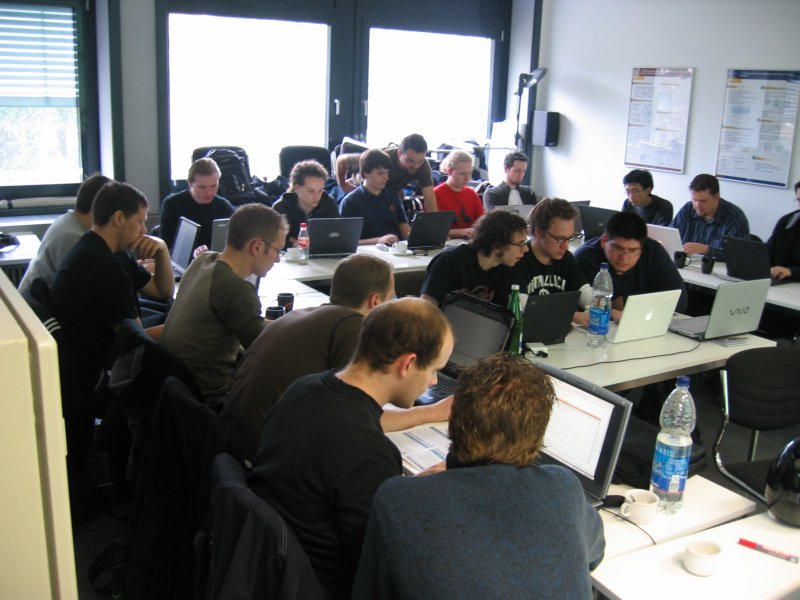
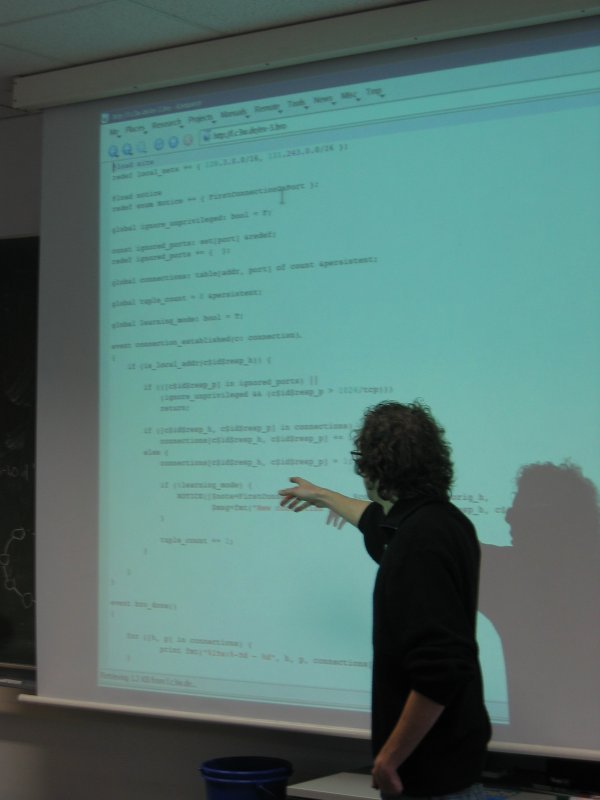
For the past two weeks, Robin and I have been visiting former ICSI scholar Klaus Wehrle's Distributed Systems Group at RWTH Aachen, Germany. Robin and I lectured on the state of the art in network monitoring and intrusion detection, traffic analysis tools, and introduced the students to the Bro IDS. Following the success of the 2007 Bro Workshop at the San Diego Supercomputing Center, we held a slightly reduced version of the workshop in form of a two-day student lab, in which the students had to solve progressively more difficult network monitoring tasks. Assignments ranged from simple tuning of Bro's default alarm and notice policies to a customizable and persistent database of services running on the monitored network's hosts. After two days, the students were able to implement the latter in less than 100 lines of Bro code, here demonstrated by student Johannes Laudenberg: It was great fun to visit the group and spread the word on Bro. Robin and I were pleased to see that foosball skills are strong at RWTH, seriously good Sauerbraten is available at walking distance from the lab, and the Glühwein at the gorgeous Christmas market is delicious. Many thanks Klaus for the invitation!

Wednesday, December 5, 2007

Robin's Development Branch

As said earlier, we can now also provide access to the developer branches in the Bro repository. The first one is my primary work branch into which I usually commit my changes before they get merged into trunk. This includes new features as well as bugfixes, both from me and code merged in from other contributors. To check out a copy of my branch, do
svn checkout http://svn.icir.org/bro/branches/robin/work
See CHANGES.features for a list of all changes compared to trunk. Among other things, the branch contains experimental code for
  • the Bro Cluster framework
  • NetFlow support (by Bernhard Ager; will be in trunk real soon now)
  • a preliminary BitTorrent analyzer (by Nadi Sarrar and Bernhard Ager; note that this is not the latest version )
  • an XML analyzer (by Tobias Kiesling)
  • Python bindings for Broccoli
  • Restructured logic for taking drop decisions via Bro's notice framework (by Brian Tierney and me)
  • A test-suite for Bro's communication & serialization subsystems
  • Various tweaks and bugfixes.
Expect to see some information about these and other new features in upcoming postings on this blog.

Monday, December 3, 2007

Bro's Subversion Repository

We are happy to announce public access to the Bro Subversion repository. As our usual release cycle for new Bro versions tends to be rather long, this will allow the Bro community to benefit more quickly from improvements made to the system. From now on, we will provide public read-only access to two important subparts of the repository (we cannot open all of the repository as it also contains some local data):
  • The trunk. The trunk is the main development head from which the releases are made on a regular basis. The trunk tends to run pretty stable and all changes are required to pass a regression suite to ensure that they do not break existing functionality. Still, the trunk is considered experimental and not suitable for critical deployments. Here's how you get a copy of the current trunk: svn checkout http://svn.icir.org/bro/trunk/bro As usual, see the CHANGES for the news. There is also an RSS feed of the commits to the trunk at http://www.icir.org/svn-feeds/bro-trunk.rss
  • Development branches. In our development model, most work is first done in separate branches until it is eventually considered sufficiently stable to be merged into the trunk. Typically, each Bro developer works own his own development branch (or even multiple of them). While we do not generally open up all branches, we will soon provide access to a subset of them (determined by the branch owners) so that interested people can try new stuff as quickly as possible. Note however that these branches are really unstable; things may break without warning. If something doesn't work as expected, feel free to contact the maintainer of the branch but don't necessarily expect an immediate fix ... Watch this blog for announcements of development branches.
We hope that access to the repository will provide Bro users with a better picture of the system's progress between releases. We will use this blog to introduce some of the features as they are added. At the same time, the public repository should make it easier to contribute patches back into the Bro development.